

The WhatsApp Business app can work well for a small business. A shared number becomes harder to manage when several teammates answer customers, shifts overlap and nobody can tell which conversation still needs attention. The decision is less about looking like a bigger company and more about giving each customer a clear owner.
What each option gives you
| Question | WhatsApp Business app | Platform/API with an inbox |
|---|---|---|
| How does the team work? | Primary app with linked-device access; paid options vary | An inbox or custom interface connected to the API |
| What is automated? | App features such as greetings and quick replies | Depends on the inbox, integrations and configuration |
| How are chats owned? | Check the capabilities of your app subscription | Assignment and team workflows depend on the inbox |
| What does it cost? | Core app is free; optional paid offerings may apply | Meta messaging charges plus provider/software charges |
| Does the API include unlimited agents? | Not an API offering | No universal promise: confirm your provider’s agent allowance |
| Can the existing app stay connected? | The current app remains your starting point | Eligible coexistence setups exist; confirm support and requirements |
When staying on the app makes sense
Stay with your current setup if the people answering can reliably see outstanding work, avoid duplicate replies and cover time off. Use labels and quick replies consistently, and write down who checks messages at the start and end of each shift. A new API connection does not fix an unclear process by itself.
WhatsApp’s linked-device help describes a primary phone linking up to four devices and periodic primary-phone use. Additional business subscription options can differ. Confirm the allowance visible in your account instead of treating one device limit as universal.
When a shared inbox becomes worth evaluating
Consider a shared inbox when the team needs named ownership, internal notes, routing and a way to measure the queue. A useful trigger is a repeated operational failure: two people replying to one customer, an unanswered complaint disappearing between shifts, or a colleague needing to search another person’s phone for context.
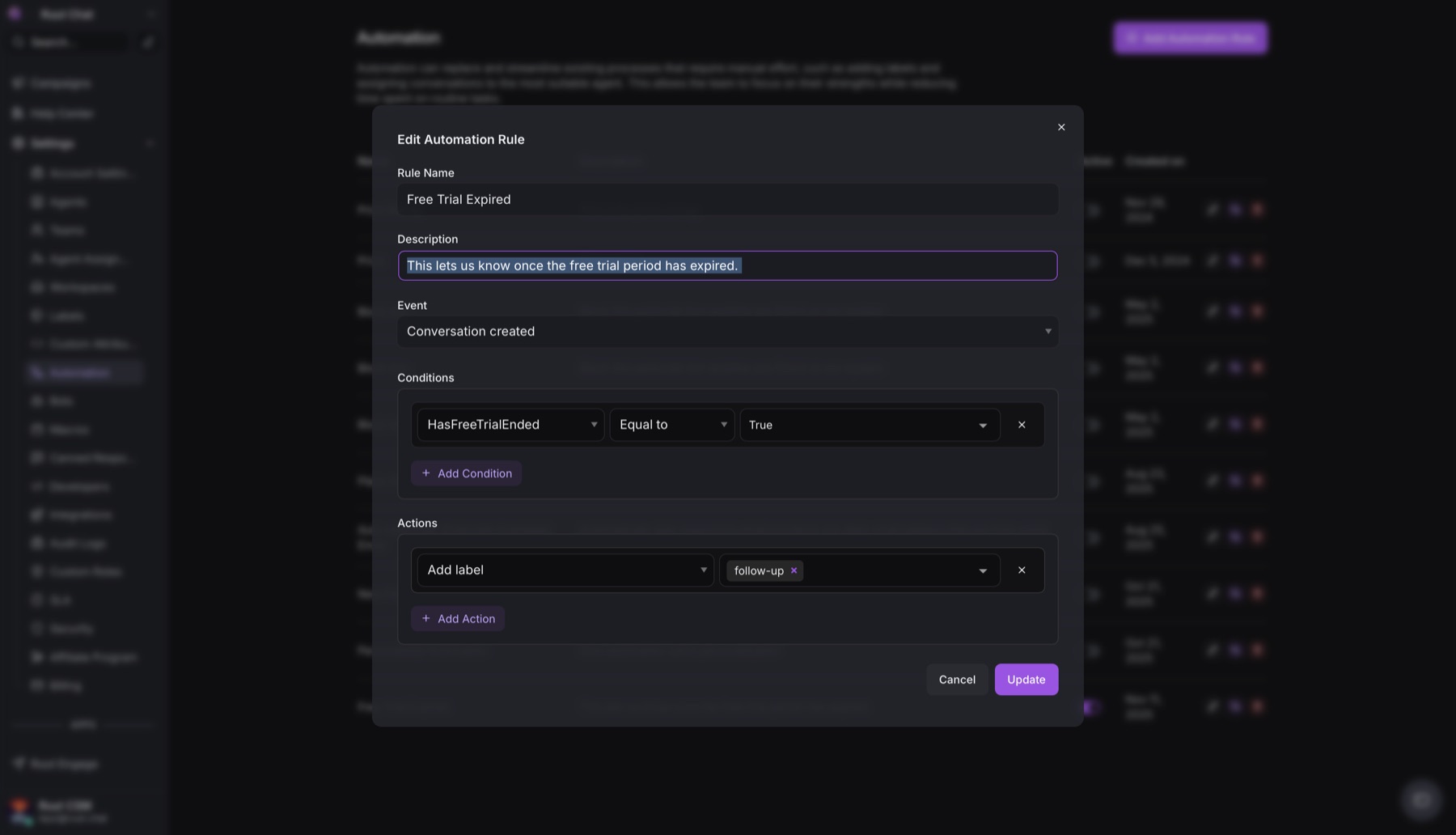
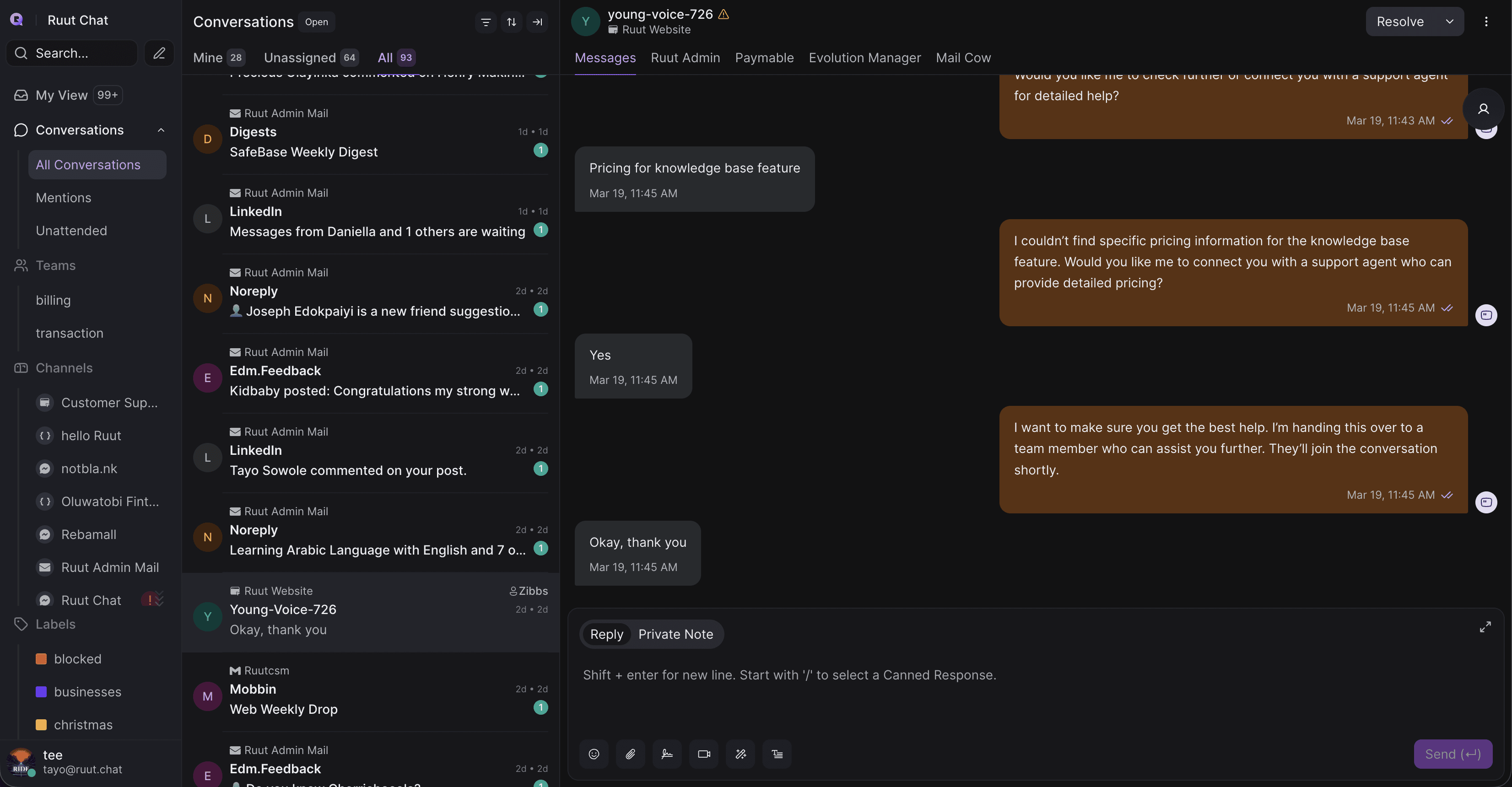
Ruut Chat brings supported channels into a team workspace. Test the actual WhatsApp connection you intend to use: an official Platform/API setup and another provider connection can have different onboarding, capabilities and operating requirements. Ask which setup your number will use.
Understand current messaging costs
Meta’s developer pricing documentation describes delivered-message charges by category and market. As of its October 2026 update, each business phone number gets 1,000 service messages monthly before service charges apply; utility replies can also be charged inside the customer-service window. Customer-to-business messages are not charged by Meta.
Non-template replies require an open 24-hour customer-service window. An eligible click-to-WhatsApp entry can open a separate free-entry-point window of up to seven days when its conditions are met; Meta Business Agent charges are treated separately. These are different windows. Confirm current rates, eligibility and a payment method before launch.
The software subscription is a separate budgeting question. Request a quote covering agents, messaging usage, AI, retention and any setup work. A low platform price does not automatically mean outbound messaging is free, and a free tier does not mean every category qualifies.
Check migration before promising continuity
- List the number, account administrator, current provider and people who can authorise changes.
- Ask whether the existing number is eligible for the intended setup and whether app coexistence is supported.
- Confirm which conversation history, contacts and templates will transfer; do not assume everything moves automatically.
- Complete the required account, number and business checks with your provider.
- Test inbound messages, agent replies, templates, assignment and handoffs before changing the live workflow.
- Give the team a fallback contact method and an owner for launch-day issues.
Respect the difference between a reply and a campaign
A customer asking about an order is different from a business initiating a promotion. Follow WhatsApp’s Business Messaging Policy, including applicable permission and template requirements. A customer record or a past purchase is not a reason to ignore the rules for the next message.
Continue with a shared inbox setup checklist for a practical next step.
A connection decision to test
Before moving a business number, write down the jobs that must continue: replying to existing customers, recognising returning contacts, handling opt-outs and assigning work to teammates. Ask the proposed provider to demonstrate the supported onboarding path for that number. Treat history transfer and app coexistence as separate questions that require explicit confirmation.
Evaluating software for this workflow? Read Ruut vs Wati for package considerations and a practical demonstration checklist.
Cover artwork: AI-generated editorial imagery for Ruut. People and settings are illustrative; product screenshots in this guide show the actual Ruut interface.
Frequently asked questions
Does the API automatically include an inbox?
No. You need software or a custom interface for your team to work with it.
Can I keep using the Business app?
Some eligible setups support coexistence. Confirm provider support, account eligibility and limitations first.
Is there one team size where every business must switch?
No. Ownership problems, missed work and integration needs are more useful signals than a universal headcount.
Do these pricing rules describe every WhatsApp connection?
No. The cited Meta rules concern the Business Platform. Confirm which connection you are using and any provider fees.
Reviewed 23 November 2026. Sources: Meta developer pricing, WhatsApp linked-device guidance and Business Messaging Policy linked above. Screenshots show Ruut; interface and plan availability can change.


No comments yet.