

WhatsApp is where your customers already are. For many businesses in Nigeria, Ghana and Kenya it quietly becomes the main support channel: orders, delivery questions, complaints and payment confirmations, all landing on one phone.
That works until it doesn't. Messages get missed when the person holding the phone is busy, nobody knows who replied to whom, and a customer who wrote at 9pm hears back the next afternoon. At that point the question becomes: do you need the WhatsApp Business API, or is the free app still enough?
The short answer
If one or two people handle WhatsApp and volume is manageable, stay on the free app and use its labels, quick replies and away messages well. If several people need to answer the same number, you want conversations assigned and measured, or you want automation and AI to handle routine questions, move to the WhatsApp Business Platform with a shared inbox.
WhatsApp Business app vs API at a glance
| Business app | Business Platform (API) + inbox | |
|---|---|---|
| Best for | Solo owners and very small teams | Support and sales teams of any size |
| Cost from Meta | Free | Per delivered message, by category and country |
| Who can reply | 1 phone + up to 4 linked devices (up to 10 with Meta's paid multi-agent tier) | Unlimited agents, set by your inbox plan |
| Assign chats to teammates | Paid multi-agent tier only | |
| Automation and AI replies | Greeting, away messages and quick replies | ✓ Rules, chatbots and AI agents |
| CRM and tool integrations | ||
| Reports on response times | ||
| Messaging after 24 hours | Free-form messages | Approved templates only |
| Depends on a primary phone | Yes — linked devices log out if it isn't used for about two weeks | No — cloud hosted |
When the free app is enough
The Business app is genuinely good for small operations. It gives you a business profile, catalogue, labels, quick replies, and greeting and away messages, at no cost. You can link up to four extra devices, such as a laptop running WhatsApp Web, to the main phone.
Stay on the app if
- One or two people answer every message
- You get a manageable number of chats a day
- You don't need to measure response times
- Customers rarely wait outside business hours
Move to the API if
- Several people share one phone or number
- Messages are missed or answered twice
- You want chats routed to the right person automatically
- You want AI to answer routine questions 24/7
- You need reports, CRM data or integrations
How WhatsApp API pricing works in 2026
Meta moved the WhatsApp Business Platform to per-message pricing on 1 July 2025. You pay when a message you send is delivered; messages customers send to you are free. The rate depends on the message category and the recipient's country.
24 hrs
customer service window
Reopens every time the customer messages you
1,000
free service replies a month
Per business phone number, no rollover
7 days
free entry point window
For chats started from Click to WhatsApp ads
| Category | Used for | How it's charged |
|---|---|---|
| Service | Free-form replies inside the 24-hour window | First 1,000 a month free per number, then per message |
| Utility | Order, delivery and account updates | Per delivered message, inside or outside the window |
| Authentication | One-time passwords and logins | Per delivered message, with volume tiers |
| Marketing | Promotions, offers and re-engagement | Per delivered message |
In practice, a support team that mostly answers questions customers start will pay little to Meta. Costs grow with outbound templates such as delivery notifications, OTPs and campaigns, so plan those deliberately.
What a shared inbox adds on top of the API
The API on its own is plumbing: it has no screen for your team. You connect it to an inbox. With Ruut Chat, WhatsApp conversations arrive in one shared inbox alongside Instagram, Facebook, TikTok, Telegram, email, SMS and website chat, so customers can use whichever channel they prefer.
- Auto-assignment routes each new chat to an available teammate.
- Canned responses, labels and private notes keep answers fast and consistent.
- Business hours and auto-responders set expectations after hours.
- Auto-translate helps you reply in your customer's language.
- Reports show conversation volume, agent performance and CSAT.
- WhatsApp campaigns reach opted-in customers with approved templates.
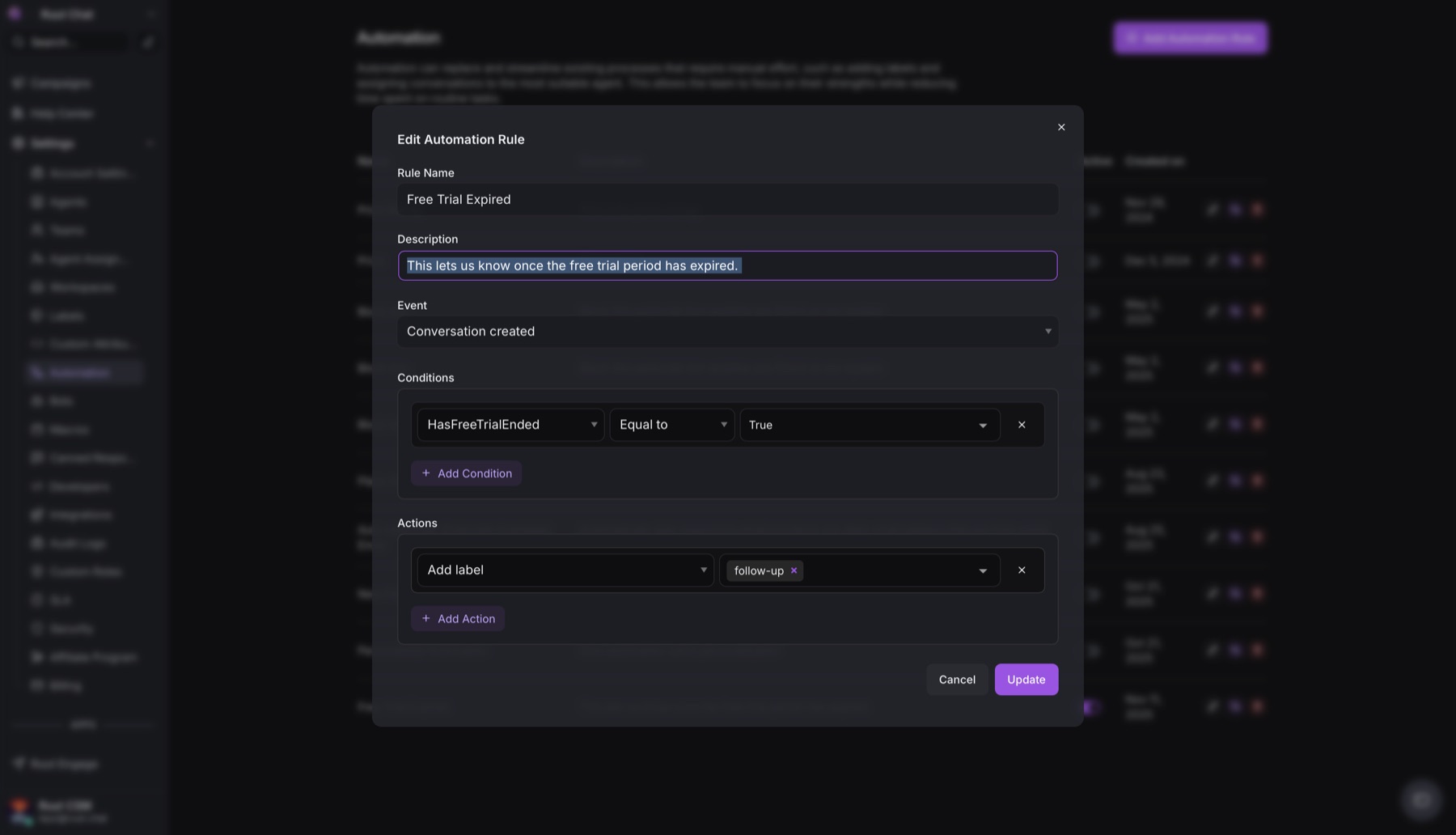
Add Sage AI and routine questions — opening hours, delivery status, pricing — get answered instantly from your knowledge base, with a handoff to a person when it matters. For transactional messages like OTPs and delivery updates, Ruut Convert sends over WhatsApp and SMS.
How to move from the app to the API
- Choose the number. Decide whether to move your existing business number or add a new one, and ask your provider whether you can keep using the app on the same number.
- Verify your Meta Business portfolio and add a payment method for message charges.
- Prepare templates for the outbound messages you send most — order updates, reminders, OTPs — and submit them for approval.
- Connect the number to your inbox and invite your team.
- Set routing and automation: business hours, auto-assignment, canned responses and an away message.
- Tell customers nothing changes for them. Same number, faster answers.
Frequently asked questions
Is the WhatsApp Business API free?
Not entirely. Messages customers send you are free, and the first 1,000 service replies per number each month are free. Utility, authentication and marketing templates are charged per delivered message, plus whatever your inbox provider charges.
Can several people use one WhatsApp Business number?
On the free app, up to five devices can share a number: one phone plus four linked devices, or up to ten with Meta's paid multi-agent tier. On the API, any number of agents can work the same number through a shared inbox.
Can I message customers after 24 hours?
On the API, only with an approved template message once the 24-hour customer service window has closed. The window reopens whenever the customer replies.
Do I pay when customers message me?
No. Meta does not charge for messages customers send to businesses. You pay for delivered messages you send, by category and country.
Does Ruut support the WhatsApp Business API?
Yes. WhatsApp is included in every Ruut Chat plan, from ₦10,000 a month, alongside your other channels. See pricing.

No comments yet.