

Every support team now faces the same question: which conversations should AI handle, and which need a person? Get it wrong one way and customers wait in a queue for answers a machine could give in seconds. Get it wrong the other way and an angry customer argues with a bot that cannot help them.
The good news is that the line is not mysterious. It follows a simple pattern: automate the predictable, let AI assist with the complex, and keep people for judgement and emotion. This guide shows where each support task sits, how to hand off well, and how to roll AI out without risking your reputation.
The rule of thumb
Ask two questions about any type of conversation. Is there one right answer? And what does it cost if the answer is wrong? Predictable, low-risk questions are ideal for automation. Ambiguous or high-stakes ones need a person, with AI doing the legwork in the background.
| Support task | Best handled by | Why |
|---|---|---|
| Opening hours, locations, policies | AI agent | One correct answer that lives in your knowledge base |
| Order and delivery status | AI agent + connected tools | A lookup, not a judgement call |
| Routing, tagging and prioritising | Automation rules | Consistent, instant and invisible to customers |
| Replies in another language | AI-assisted | Translation helps; a person still owns the answer |
| Refunds and exceptions | AI gathers details, person decides | Money and policy exceptions need accountability |
| Technical troubleshooting | AI drafts, person confirms | AI speeds up diagnosis; edge cases need expertise |
| Complaints and frustrated customers | Person, with an AI summary | Empathy and ownership rebuild trust |
| VIP and high-value accounts | Person | Relationships are worth more than minutes saved |
| Billing disputes, fraud, legal or medical topics | Person | Errors here are costly and hard to undo |
What to automate fully
These conversations are repetitive, factual and low risk. Automating them gives customers instant answers at 2am and frees your team for work that needs them.
- Frequently asked questions about hours, delivery areas, pricing, returns and payment methods.
- Status lookups such as where an order is or when a booking starts, through connected tools like your store or CRM.
- Routing and tagging: labelling new conversations, assigning them to the right team and flagging urgent ones.
- After-hours replies that set expectations and collect details so the morning shift can act immediately.
- Simple account updates like changing a delivery address, when you have explicitly allowed the action.
Where AI should assist, not decide
Some conversations have a policy behind them but still need judgement. Here AI is most useful as a teammate: it asks for the order number, checks eligibility, summarises the case and suggests the next step, and a person makes the call.
Refunds are the classic example. An AI agent can confirm the purchase date and the reason, then hand over a complete case. Your agent approves in one click instead of spending five messages collecting facts.
What to keep human
Customers forgive slow answers more easily than they forgive feeling unheard. When emotions run high or the stakes are serious, a person should lead — ideally with AI working quietly in the background.
Hand to a person when
- The customer is upset or has asked twice
- Money is disputed or a policy exception is needed
- The customer is a key account
- The topic is legal, medical, financial or safety-related
- The AI isn't confident in its answer
AI still helps by
- Summarising the conversation so far
- Pulling up order and account history
- Suggesting a reply for the agent to edit
- Translating between languages
- Tagging the outcome for reporting
The goal of AI in support isn't to avoid talking to customers. It's to make sure every customer reaches the right answer, or the right person, faster.
Make the handoff seamless
The moment AI passes a conversation to a person is where most customer frustration happens. Nothing undermines trust faster than being asked to repeat everything you just explained.
A good handoff includes a short summary, what has already been checked, and a suggested next step. When Sage hands over in Ruut, the agent gets exactly that inside the same conversation, whether it started on WhatsApp, email, live chat, social or a phone call through Ruut Voice.
Set guardrails before you go live
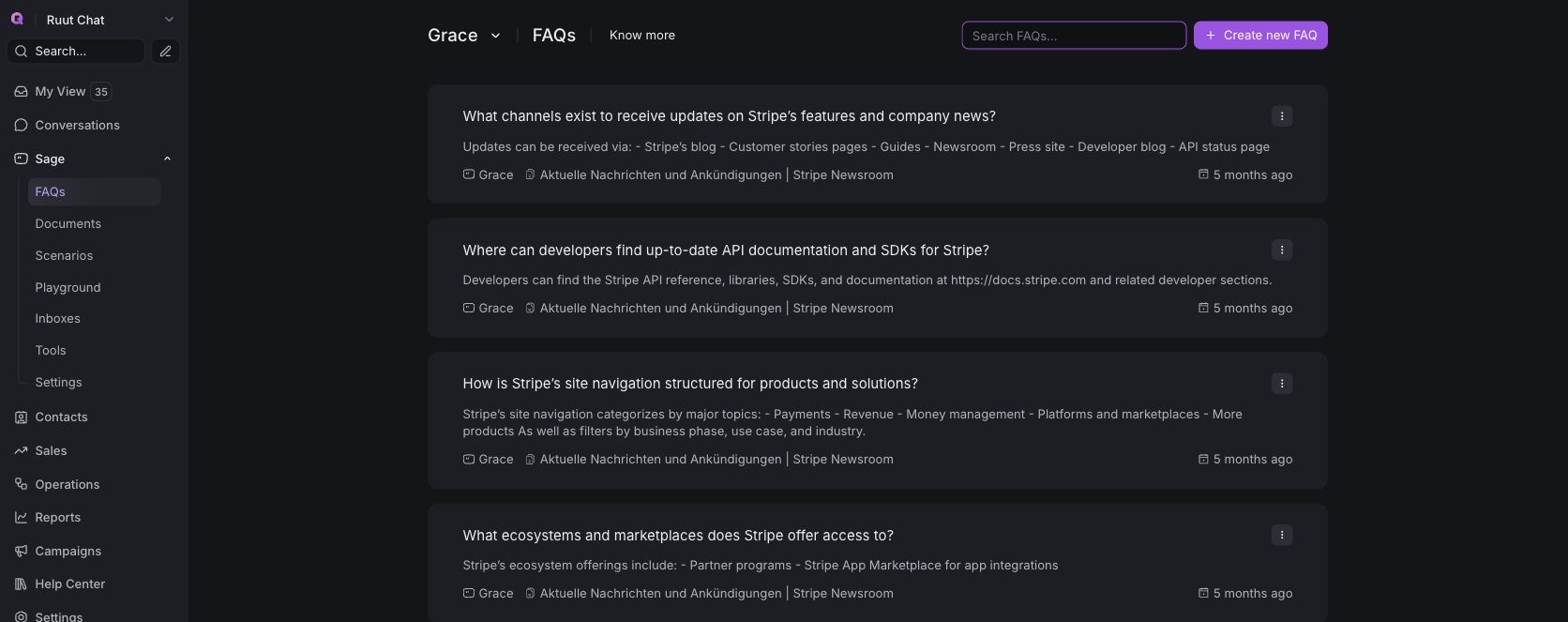
- Use approved knowledge only. Point the AI at your FAQs, documents and Help Center — not the open internet.
- Allow specific actions. Decide exactly which tools the AI may use, such as looking up orders, and nothing more.
- Name topics that always go to a person, such as complaints, refunds above a limit or anything legal.
- Let it say "I don't know". An honest handoff beats a confident wrong answer.
- Test with real questions from your inbox before customers see it.
- Start with one inbox or channel, review the results, then expand.
Measure what matters
| Metric | What it tells you |
|---|---|
| Automated resolution rate | How many conversations AI resolves without a person |
| Handoff rate and reasons | Where knowledge or scenarios are missing |
| CSAT: AI vs human conversations | Whether automation is helping or hurting satisfaction |
| First response time | How quickly customers hear back, day and night |
| Reopened conversations | Answers that looked resolved but weren't |
Review handoffs weekly. Every question the AI could not answer is a gap in your knowledge base, and closing those gaps is usually the fastest way to improve both automation and human support.
A four-week rollout plan
- Week 1 — Knowledge. Collect your top 30 questions from the inbox and make sure each has a clear, current answer.
- Week 2 — Scenarios and tools. Write handoff rules for refunds, complaints and VIPs; connect order lookup; test in a safe playground.
- Week 3 — One channel. Switch AI on for a single inbox, such as website chat, and watch every conversation.
- Week 4 — Review and expand. Fix gaps, tune scenarios, then add WhatsApp, email or voice.
Frequently asked questions
Will AI replace my customer support team?
No. AI takes repetitive questions off your team's plate so people can focus on complaints, exceptions and relationships, the conversations where they make the biggest difference.
How do I stop an AI agent from making things up?
Limit it to approved knowledge, require it to check answers against that content, and let it say when it doesn't know so it hands off instead of guessing.
What should never be fully automated?
Complaints from upset customers, billing disputes, policy exceptions and legal, medical, financial or safety topics. AI can help with these, but a person should decide.
Can AI handle WhatsApp and phone calls?
Yes. Sage works across WhatsApp, email, live chat, social channels and voice calls through Ruut Voice, and replies in the language the customer uses.
How long does it take to set up?
With your FAQs and documents ready, most teams can set up Sage in an afternoon: add knowledge, write scenarios, connect tools, test and choose inboxes.

No comments yet.