
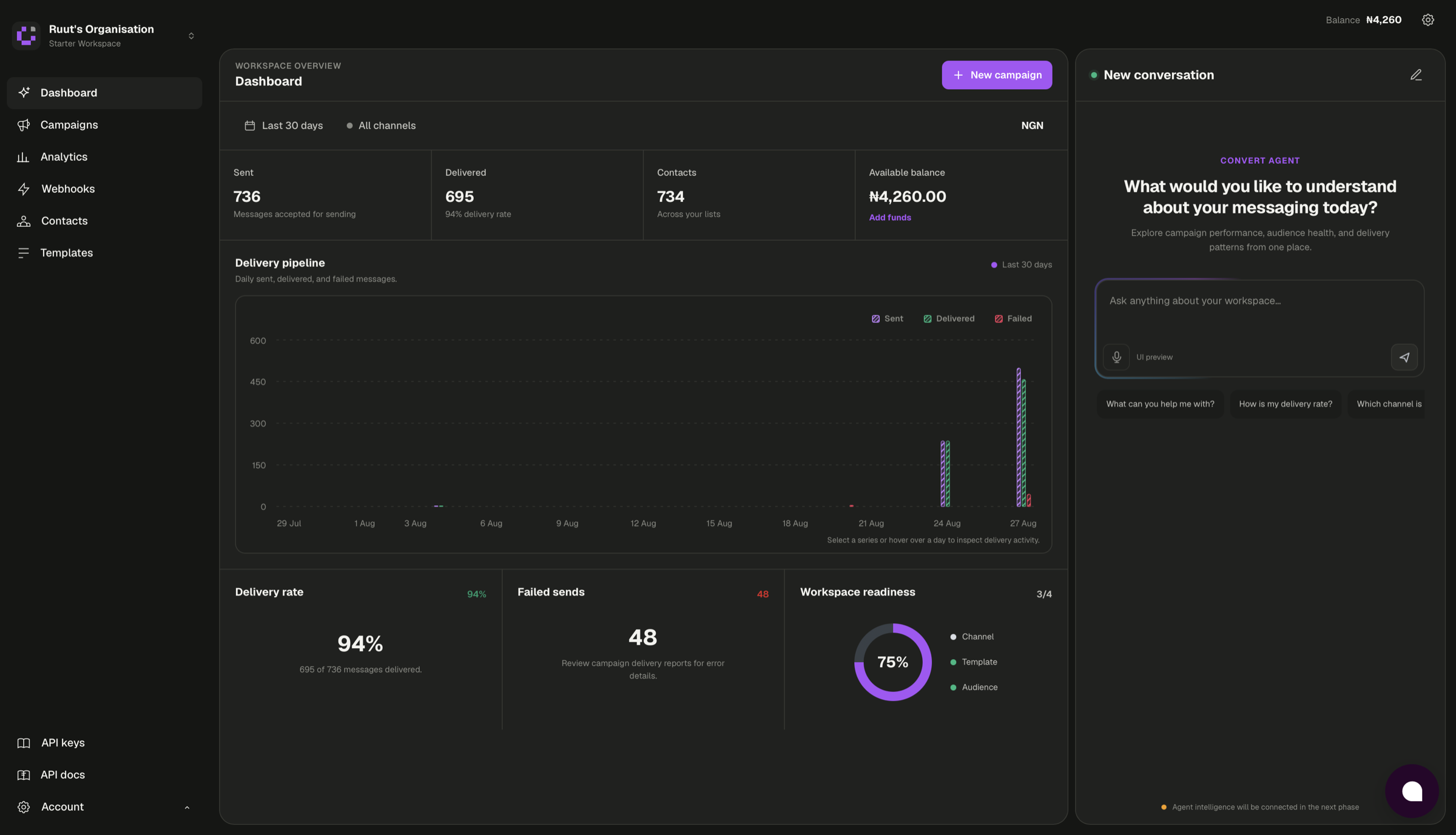
The campaign was delivered successfully. A customer replies with a delivery question, another asks whether the offer applies to an existing order, and somebody wants to stop receiving messages. If those replies have no owner, the marketing campaign has created a support problem at exactly the moment customers are paying attention.
Start with the promise in the message
Send the support team the final message, the landing page and the actual eligibility conditions. A draft from last week is not enough if the offer changed before launch. State the dates and time zone, the exclusions and who can approve an exception. Where an answer is unresolved, settle it before inviting hundreds of customers to ask.
Write a short internal brief that connects the campaign to likely questions. If it promotes a delivery service, what happens when a customer’s address is outside coverage? If it promotes a trial, what happens for an existing customer? The team should not have to reverse-engineer the policy from the promotional wording.
Decide where replies go
Confirm which systems receive replies for the channel you are using. A send API, a campaign dashboard and a shared support inbox do not automatically share the same thread or identity record. Test a real reply from a test recipient and ask the intended owner to find it without being told the answer.
Ruut Convert supports campaign and transactional messaging workflows. When using it alongside Ruut Chat, verify the integration and channel behavior you intend to operate. Do not assume an outbound delivery receipt proves that the customer’s reply will appear in a monitored queue.
Prepare a small response matrix
| Reply type | Owner | Useful first action |
|---|---|---|
| Eligibility question | Support | Check the published conditions |
| Purchase enquiry | Sales or trained support | Confirm the offer and the customer’s goal |
| Existing service problem | Support case owner | Connect it to the ongoing issue |
| Complaint about the campaign | Named escalation owner | Acknowledge and investigate |
| Preference or opt-out request | Designated owner | Apply the relevant process and confirm it |
For business-initiated WhatsApp messages, follow the applicable Business Messaging Policy. Check your permission, template and audience requirements. This article is an operational checklist, not a substitute for reviewing the requirements of the channels you send through.
Launch when the team can respond
Choose a send time based on coverage as well as marketing preference. If the team cannot handle replies that evening, consider a smaller initial audience or a different launch time. Use observed results from that first group to adjust the next stage. A sudden volume spike can expose a workflow gap even when every delivery succeeds.
Estimate capacity using your own experience. The reply rate for a previous campaign is a planning input, not a guarantee. Different audiences, offers and channels produce different behavior. Make the assumptions explicit and identify who can pause or change the send if the response load is unexpected.
Keep the offer visible during the conversation
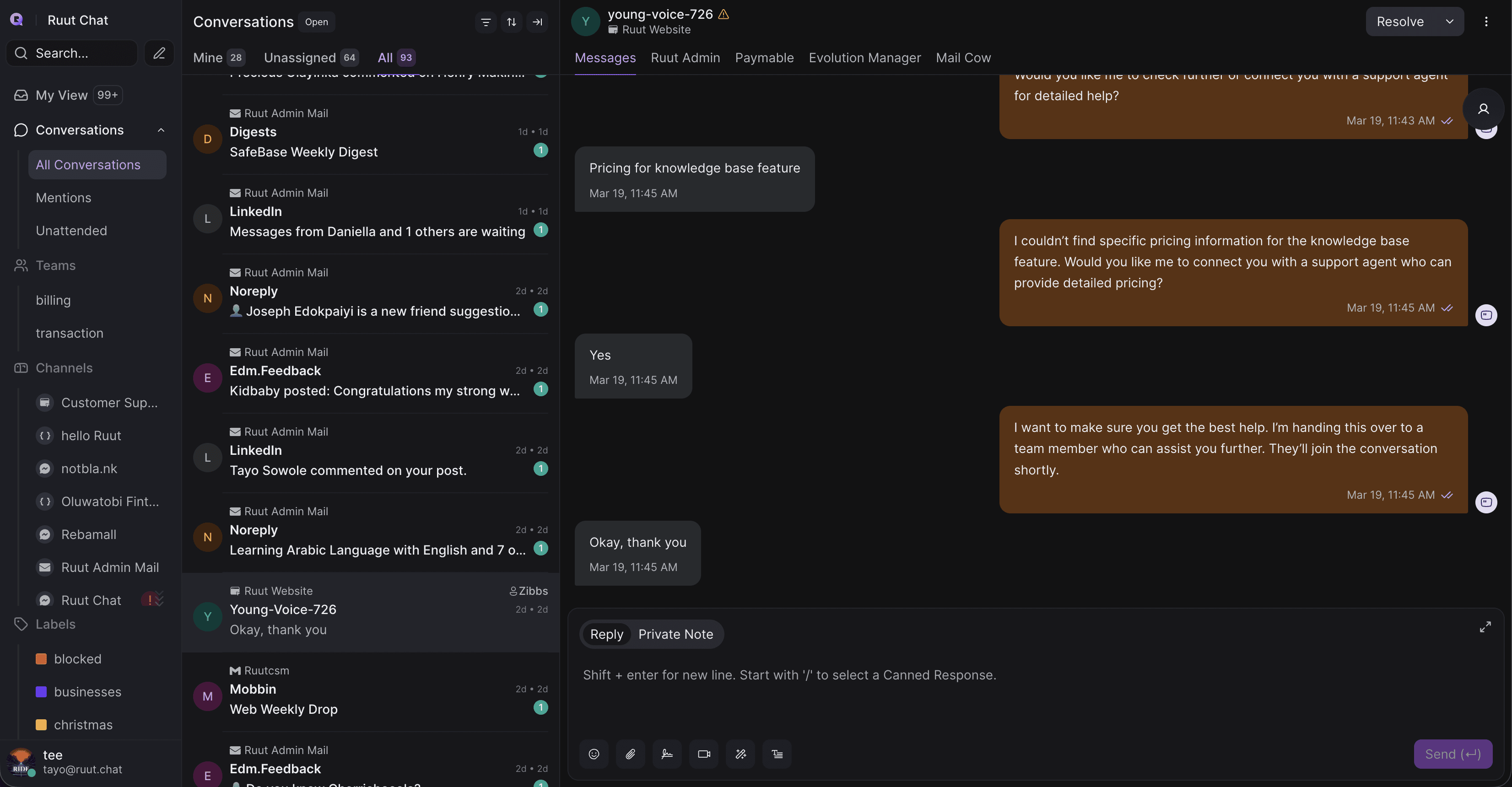
A customer should not have to paste the advertisement back into the conversation before the team knows what was offered. Where the systems do not provide that context automatically, use the agreed internal brief and a reliable reference. Verify the identity match before linking a reply to account-specific information.
Measure the full interaction
Delivery rate tells you whether the message reached its destination according to the channel’s signals. It does not tell you whether the offer was understood, whether a reply was useful or whether the customer got the promised follow-up. Sample conversations alongside campaign performance.
- Were replies received in the expected place?
- Did customers ask the same eligibility question repeatedly?
- Were preference requests handled through the right process?
- Did the team keep its response and follow-up commitments?
- What should change before the next campaign?
Continue with adaptable customer support reply templates for a practical next step.
Frequently asked questions
Does successful delivery mean a campaign worked?
No. Delivery is one signal. Customer understanding, useful replies and the intended outcome also matter.
Should marketing or support own replies?
Assign ownership by the type of request and keep the handoff explicit. Avoid leaving an undefined boundary between the teams.
Do Chat and Convert have the same plan and usage charges?
They are separate offerings. Check the relevant pricing and integration requirements for your setup.



No comments yet.