
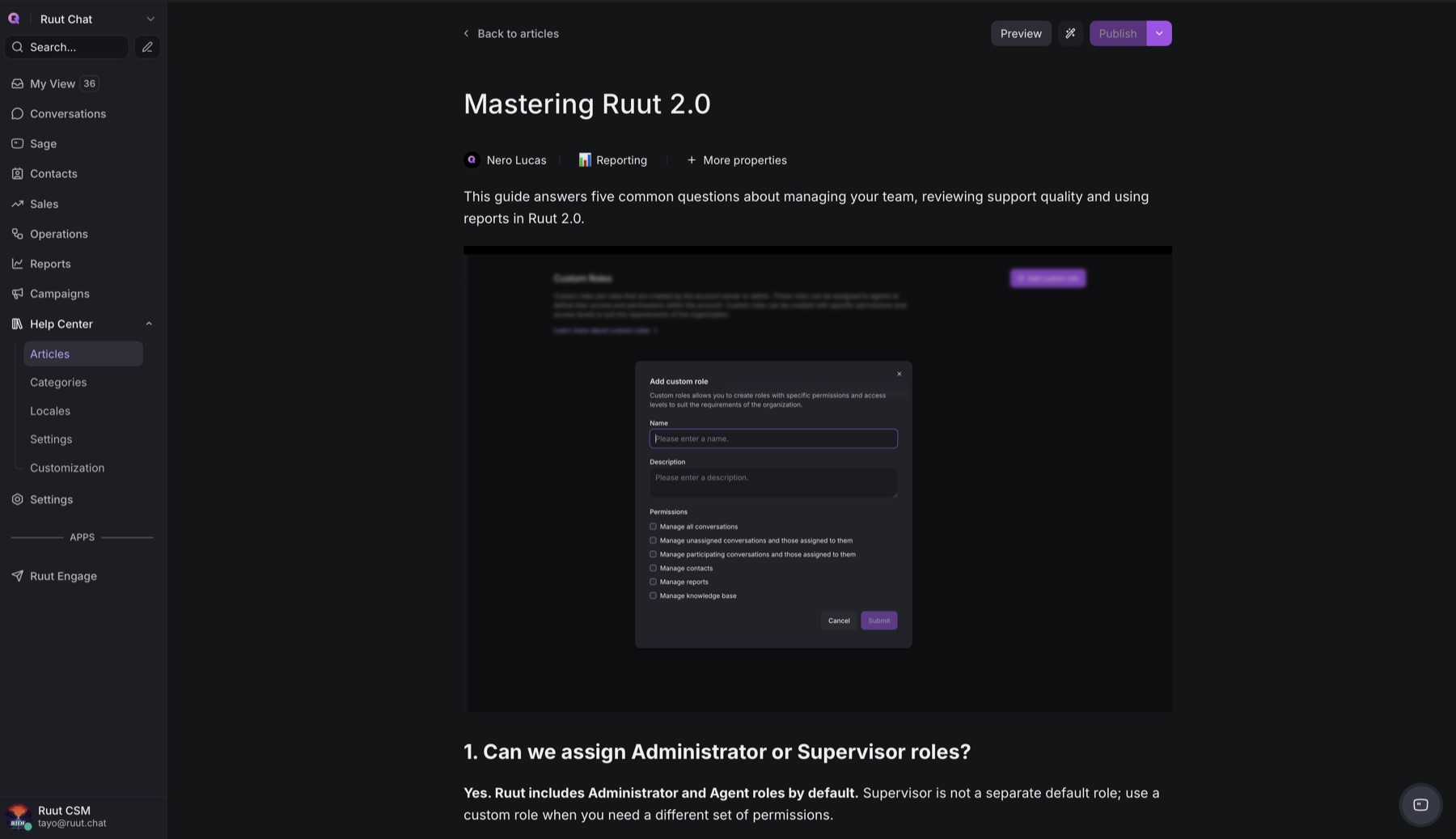
A help article has one immediate job: help someone complete a task or understand what to do next. A beautifully written overview can still fail if the customer cannot find the setting, recognise the error or tell whether the instructions apply to their account. Write for the person doing the work, not for the organisation chart.
Choose one task and one reader
Start with a question from a real conversation. “How do I invite a teammate?” is a clearer task than “Workspace administration capabilities.” Decide who is performing it and what access they need. A customer administrator and a new teammate may see different controls, so a single unqualified set of instructions can confuse both.
Keep the article’s scope narrow enough that the reader can recognise when they are finished. If a guide covers several jobs, create an overview that links to focused articles. This also makes maintenance easier: a change to password recovery should not require rewriting a page that also explains billing and campaign setup.
Use a repeatable structure
| Part | Purpose |
|---|---|
| Title | Name the task in customer language |
| Before you start | Access, prerequisites and important limitations |
| Steps | Actions in the order the reader must perform them |
| Expected result | What success looks like |
| Troubleshooting | What to check when the result differs |
| Get more help | The information support needs to investigate |
Lead with the answer when the question is simple. For a procedure, put the steps before background theory. Explain why a step matters only when the explanation prevents a likely mistake. Avoid introducing several unfamiliar terms before the reader reaches the first action.
Write steps that can be followed
Use the visible names of controls and keep one principal action in each step. “Open Settings, choose Teams and select Add team” is more useful than “Configure your organisation.” If the interface changes by plan or role, say that near the relevant instruction instead of hiding it in a general footer.
Test the article with someone who did not write it. Watch where they stop, choose a different screen or ask what a word means. Their hesitation is useful feedback even if the original author thinks the instruction is obvious. Fix the text rather than adding a verbal explanation that future readers will never hear.
Make screenshots earn their place
A screenshot should identify a control, explain a state or show an expected result. Use the actual product interface and avoid filling the frame with unrelated customer information. Add descriptive alt text and a caption when the image needs context. Keep essential instructions in text so the image is not the only way to complete the task.
The Ruut Help Center can be part of your self-service workflow. The product image shown with this guide is the real Ruut article editor. Check your workspace’s publication process and language options before promising a particular workflow to the team.
Add troubleshooting that moves the reader forward
This is an illustrative support pattern, not a verified procedure for every application. Your published instructions should name checks that apply to your product. Do not ask customers to perform a risky reset or delete data merely because it is a common troubleshooting suggestion elsewhere.
Maintain the article after publication
Give the article an owner and tie reviews to relevant product changes. When a control moves, update the text and image together. Remove contradictory versions or clearly label the audience for each one. If an AI assistant uses the article, separately verify that the updated source is connected and retest the affected questions.
Use conversation feedback to choose the next improvement. An article that is frequently shared but still followed by the same question may need a clearer first step, a missing exception or better findability. Do not treat page views alone as proof that customers were helped.
Continue with building an AI support knowledge base for a practical next step.
Frequently asked questions
How long should a help article be?
As long as the task requires. A direct answer can be short; a multi-step procedure needs enough context to be followed safely.
Should we use screenshots for every step?
Only when they clarify something the text alone does not. Too many images create extra maintenance without necessarily helping.
Can the same content help our AI assistant?
Possibly, but confirm the source connection and test the answer. Public publication alone is not proof that an assistant is using it.



No comments yet.